Gauge Card
Display a value on a curved dial between a minimum and a maximum using dash::GaugeCard.
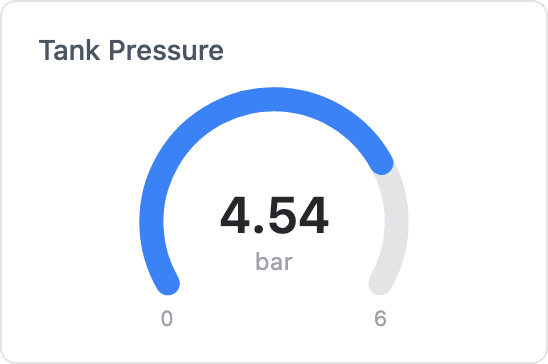
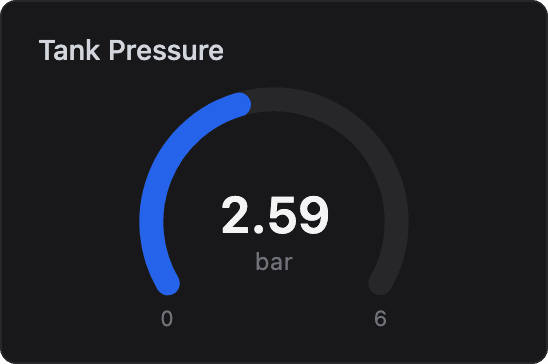
ESP-DASH Pro feature. This functionality is available only in the commercial edition of ESP-DASH.The gauge card displays a value on a curved dial with the value and unit in the center and the range limits at the ends. Use it for pressure, speed, power or any bounded reading that benefits from an at-a-glance dial.
Constructor
dash::GaugeCard<T, Precision> card(dashboard, name, minValue, maxValue, unit);Prop
Type
Template parameters:
Prop
Type
dash::GaugeCard<float, 1> pressure(dashboard, "Tank Pressure", 0, 6, "bar");
dash::GaugeCard<int> load(dashboard, "CPU Load", 0, 100, "%");
An overload without the dashboard argument creates the card without attaching it to a dashboard; attach it later with dashboard.add(card).
Methods
The gauge card has the same methods as the Progress Card.
setValue()
bool setValue(T value);Sets the value. Values below min() or above max() are clamped to the nearest bound. Returns true if the stored value changed.
value()
const T& value() const;Returns the current value. Call it only when hasValue() returns true.
setMin() and setMax()
bool setMin(T minValue);
bool setMax(T maxValue);
Set the lower and upper bounds of the dial. If the current value falls outside the new range, it is clamped to it. Return true if the bound changed.
min() and max()
T min() const;
T max() const;
Return the current lower and upper bounds.
setUnit()
bool setUnit(const char* unit);Sets the unit displayed under the value. Returns true if the unit changed.
unit()
const char* unit() const;Returns the current unit.
Example
#include <Arduino.h>
#include <WiFi.h>
#include <AsyncTCP.h>
#include <ESPAsyncWebServer.h>
#include <ESPDashPro.h>

AsyncWebServer server(80);
ESPDash dashboard(server);

dash::GaugeCard<float, 1> pressure(dashboard, "Tank Pressure", 0, 6, "bar");

void setup() {
  // ... connect to WiFi
  server.begin();
}

void loop() {
  pressure.setValue(random(0, 600) / 100.0f); // replace with a sensor reading
  dashboard.sendUpdates();
  delay(2000);
}
Notes
- The gauge card takes two rows of the dashboard grid, the same height as the Joystick Card.
- The card stores the
unitpointer and does not copy the string. Pass a string literal or a buffer that outlives the card.