Sparkline Card
Display a value with a trend line of its recent history and an optional change badge using dash::SparklineCard.
ESP-DASH Pro feature. This functionality is available only in the commercial edition of ESP-DASH.The sparkline card displays the latest value together with a small trend line of its recent samples. A badge shows how much the value changed across the visible history, in green when it rose and red when it fell. Use it for temperatures, speeds, signal strength or any reading where the direction of change matters as much as the current value.
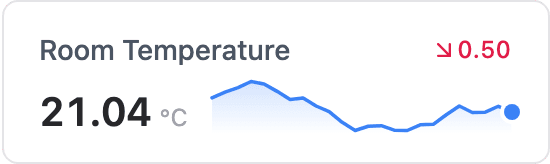
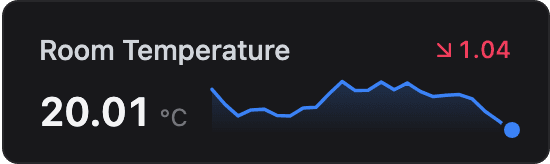
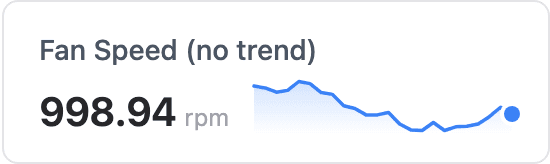
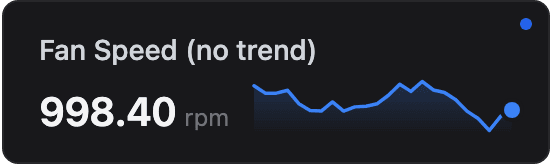
Constructor
dash::SparklineCard<T, Precision, N> card(dashboard, name, unit);Prop
Type
Template parameters:
Prop
Type
dash::SparklineCard<float, 1> temperature(dashboard, "Room Temperature", "°C");   // last 24 samples
dash::SparklineCard<int, 0, 60> fan(dashboard, "Fan Speed", "rpm");               // last 60 samples
An overload without the dashboard argument creates the card without attaching it to a dashboard; attach it later with dashboard.add(card).
Methods
setValue()
bool setValue(T value);Sets the current value and adds it to the history. When the history is full, the oldest sample is dropped. Every call records a sample, even if the value has not changed, so call it at your sampling rate. Always returns true.
temperature.setValue(22.4f);value()
const T& value() const;Returns the latest value. Call it only when hasValue() returns true.
samples()
size_t samples() const;Returns the number of samples currently in the history, up to N.
clearHistory()
bool clearHistory();Removes all samples from the trend line. The current value is kept. Returns true if there was any history to clear.
setTrend()
bool setTrend(bool show);Shows or hides the change badge. The badge is shown by default. Returns true if the setting changed.
fan.setTrend(false);trend()
bool trend() const;Returns true if the change badge is shown.
setUnit() and unit()
bool setUnit(const char* unit);
const char* unit() const;
Set or return the unit displayed next to the value.
Example
#include <Arduino.h>
#include <WiFi.h>
#include <AsyncTCP.h>
#include <ESPAsyncWebServer.h>
#include <ESPDashPro.h>

AsyncWebServer server(80);
ESPDash dashboard(server);

dash::SparklineCard<float, 1> temperature(dashboard, "Room Temperature", "°C");

void setup() {
  // ... connect to WiFi
  server.begin();
}

void loop() {
  temperature.setValue(20 + random(0, 50) / 10.0f); // replace with a sensor reading
  dashboard.sendUpdates();
  delay(5000);
}
Notes
- The history is kept on the device and sent with each update, so the trend line survives page reloads and is the same for every connected browser.
- Each update sends the whole history. Keep
Nmodest on boards with little memory or many connected clients.