Number Stepper Card
Set an exact numeric value with decrement and increment buttons using dash::NumberStepperCard.
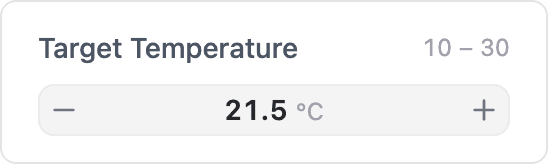
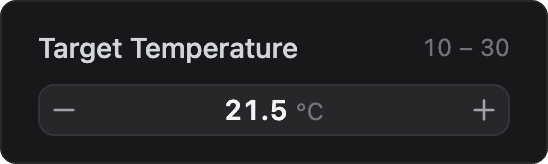
ESP-DASH Pro feature. This functionality is available only in the commercial edition of ESP-DASH.The number stepper card shows a value between a decrement and an increment button. Each press changes the value by a fixed step, and holding a button repeats the step. Use it for setpoints, timers, counts or any value that needs more precision than a slider gives.
Constructor
dash::NumberStepperCard<T, Precision> card(dashboard, name, minValue, maxValue, step, unit);Prop
Type
Template parameters:
Prop
Type
dash::NumberStepperCard<float, 1> setpoint(dashboard, "Target Temperature", 10, 30, 0.5f, "°C");
dash::NumberStepperCard<int> retries(dashboard, "Retries", 0, 10);
An overload without the dashboard argument creates the card without attaching it to a dashboard; attach it later with dashboard.add(card).
Callback
void onChange(std::function<void(T value)> callback);The callback fires 300 ms after the user stops pressing the buttons, so a series of presses produces one event. value is the new value, already limited to the range and rounded to the step's decimal places. The card does not update its own value; call setValue() and dashboard.sendUpdates() inside the callback to confirm the change on the dashboard.
setpoint.onChange([](float value) {
  setpoint.setValue(value);
  dashboard.sendUpdates();
});
Methods
The number stepper card has the same methods as the Slider Card.
setValue()
bool setValue(T value);Sets the value. Values below min() or above max() are clamped to the nearest bound. Returns true if the stored value changed.
value()
const T& value() const;Returns the current value. Call it only when hasValue() returns true.
setMin(), setMax() and setStep()
bool setMin(T minValue);
bool setMax(T maxValue);
bool setStep(T step);
Change the range and step size. Return true if the setting changed.
min(), max() and step()
T min() const;
T max() const;
T step() const;
Return the current range and step size.
setUnit() and unit()
bool setUnit(const char* unit);
const char* unit() const;
Set or return the unit displayed next to the value.
Example
#include <Arduino.h>
#include <WiFi.h>
#include <AsyncTCP.h>
#include <ESPAsyncWebServer.h>
#include <ESPDashPro.h>

AsyncWebServer server(80);
ESPDash dashboard(server);

dash::NumberStepperCard<float, 1> setpoint(dashboard, "Target Temperature", 10, 30, 0.5f, "°C");

void setup() {
  Serial.begin(115200);
  // ... connect to WiFi

  setpoint.setValue(21.5f);
  setpoint.onChange([](float value) {
    Serial.printf("Setpoint: %.1f\n", value);
    setpoint.setValue(value);
    dashboard.sendUpdates();
  });

  server.begin();
}

void loop() {
  // ...
}
Notes
- The number of decimal places shown on the dashboard follows the step size; a step of
0.5shows one decimal place, a step of0.25shows two. - The buttons are disabled when the value reaches
min()ormax().