Settings Fields
Build the settings page of the captive portal in C++ with typed fields, and read the submitted values in the onConfig callback.
Parameters are now NetWizard fields
In NetWizard v2, NetWizardParameter has been replaced by typed field classes: NetWizardInput, NetWizardHeader, NetWizardToggle and the others listed below. Sketches written for v1 need a small update, see Migrating from v1 to v2.
Settings fields let you collect application settings during WiFi setup, such as MQTT credentials, user data or device options. Each field you declare appears on the settings page of the captive portal, in declaration order. Every field has a type, so you read its value back as that type, with no conversion and no guessing.
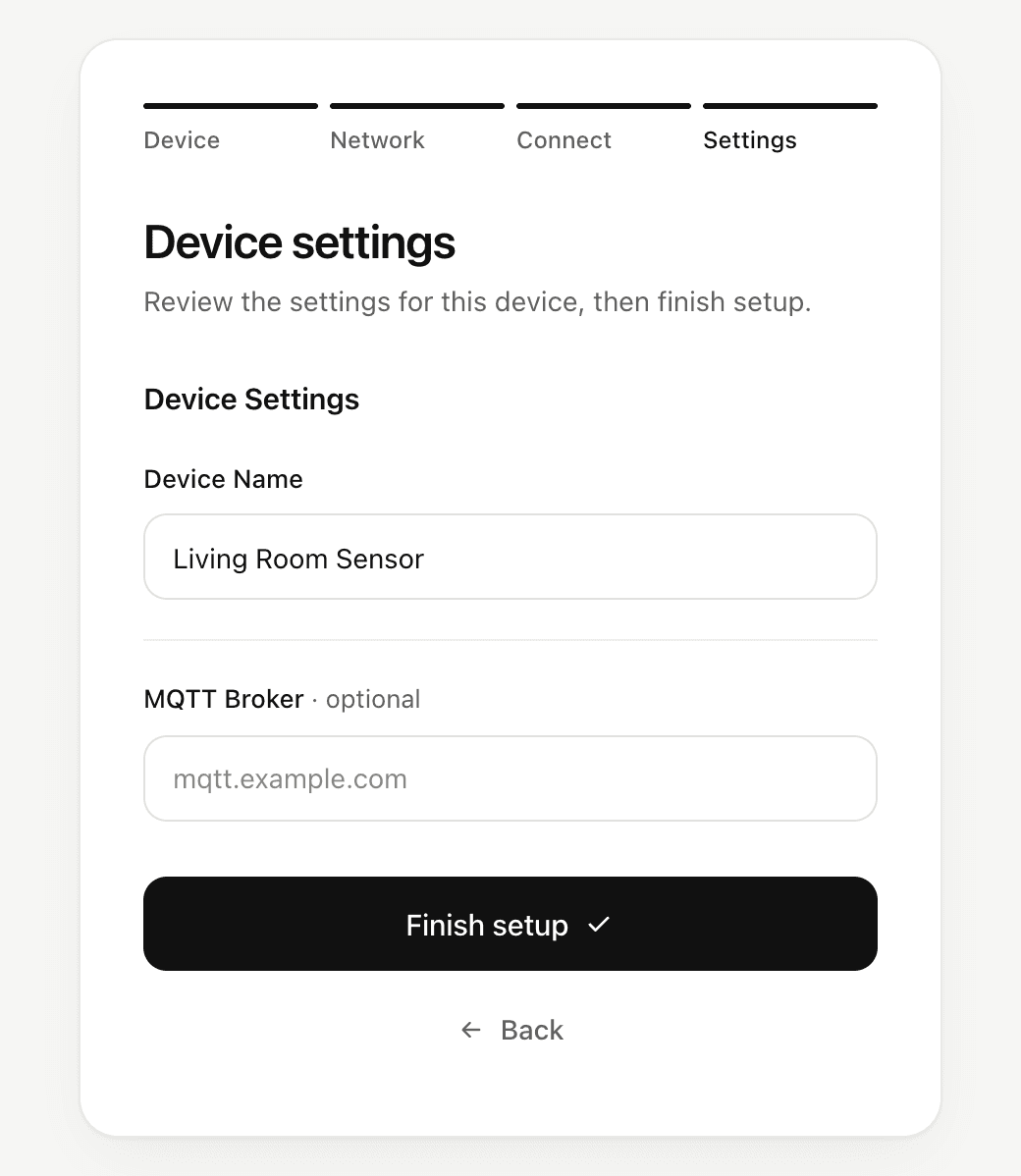
The settings page is hidden automatically when the sketch declares no fields.
Field types
| Field | Value | Edition |
|---|---|---|
NetWizardHeader | - | Lite and Pro |
NetWizardDivider | - | Lite and Pro |
NetWizardSpacer | - | Lite and Pro |
NetWizardInput | String, int, float or double | Lite and Pro |
NetWizardPassword | String | Pro |
NetWizardToggle | bool | Pro |
NetWizardTextarea | String | Pro |
Declare fields
Declare fields globally, after the NetWizard instance:
NetWizard NW(&server);

NetWizardHeader mqtt(&NW, "MQTT");
NetWizardInput  host(&NW, "Host", "", "mqtt.example.com");  // String
NetWizardInput  port(&NW, "Port", 1883);                    // int

void setup() {
  // ...
}
The type of an input comes from its initial value: 1883 makes an int input, 0.5 a double, and a string (or no value) a String. To pick the type yourself, name it: NetWizardInput<float> gain(&NW, "Gain", 1.5f);.
A field registers itself with NetWizard when it is constructed and removes itself when it is destroyed. To add or remove a field at runtime, create it with new and remove it with delete.
Required and optional fields
Inputs, password inputs and textareas are required by default: the user must fill them in before finishing setup. Pass false as the last constructor argument to make a field optional:
NetWizardInput nickname(&NW, "Nickname", "", "Living room", false);You can also change it at runtime with setRequired(). An optional numeric input that is left empty reads as 0.
Validation
Numeric inputs bring up the number keyboard in the portal, and the browser checks the format before the page is sent. The device checks every value again when it arrives:
- an
intinput accepts a whole number in range, afloatordoubleinput any finite number; - a required field must not be empty;
- a toggle accepts on or off.
If any value fails, the device rejects the whole submission, the portal shows an error, and none of the fields change.
Receive submitted values
When the user finishes setup, NetWizard checks the submitted values, writes them to the fields and then calls the onConfig callback.
void onConfig(std::function<bool()> callback);Read the fields in the callback. Return true to accept the submission or false to reject it. When the callback returns false, the portal reports the request as invalid. If no callback is registered, every valid submission is accepted.
void setup() {
  // ...
  NW.onConfig([&]() {
    String h = host.getValue();
    int p = port.getValue();
    if (p < 1 || p > 65535) {
      return false;  // reject the submission
    }
    // process or store the values
    return true;     // accept the submission
  });
  // ...
}
Values are not persisted
Field values are held in RAM only and are lost when the device restarts. Save them to persistent storage in your onConfig callback if your application needs them after a reboot. The values are written to the fields before the callback runs, and they are not reverted when the callback returns false.
Methods
Fields that hold a value share these methods. T is the field's value type.
getValue()
T getValue() const;Returns a copy of the current value. In async mode on ESP32 the portal writes values from a different task than your sketch, so reads and writes are locked internally and a value is never read half-written.
setValue()
void setValue(const T& value);Sets the value shown in the portal.
setPlaceholder() and setRequired()
void setPlaceholder(const char* placeholder);
void setRequired(bool required);
Change the placeholder text, or mark the field as required (true) or optional (false). Available on inputs, password inputs and textareas.
Notes
- Labels and texts are copied when the field is created, so you can pass a temporary string.
- Only fields you declare appear on the settings page; WiFi credentials are handled separately by the portal.
- If the user skips the WiFi step and only submits the settings page, NetWizard saves the fields without changing the WiFi connection.